
Member app · Android
Your membership, in your pocket
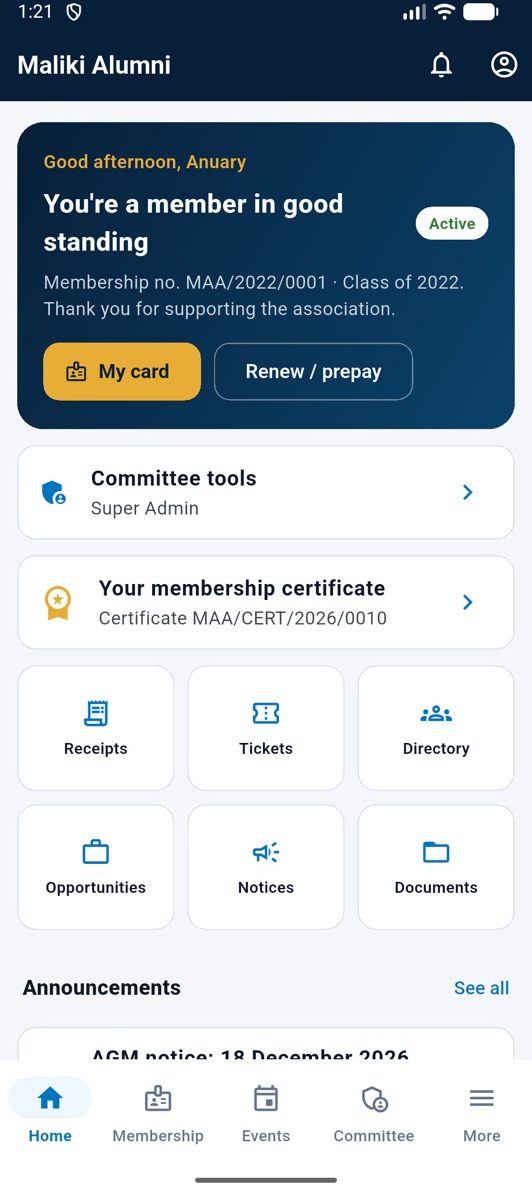
The Maliki Alumni app gives every member their card and certificate, M-Pesa payments with instant receipts, event tickets and the alumni network – and gives office bearers the tools to run the association on the go.
For Android 7.0 and newer. Sign in with the same email or membership number and password as the website. Coming to Google Play after testing.
For every member
Everything your membership needs
The member portal, built for your phone.
Card & certificate
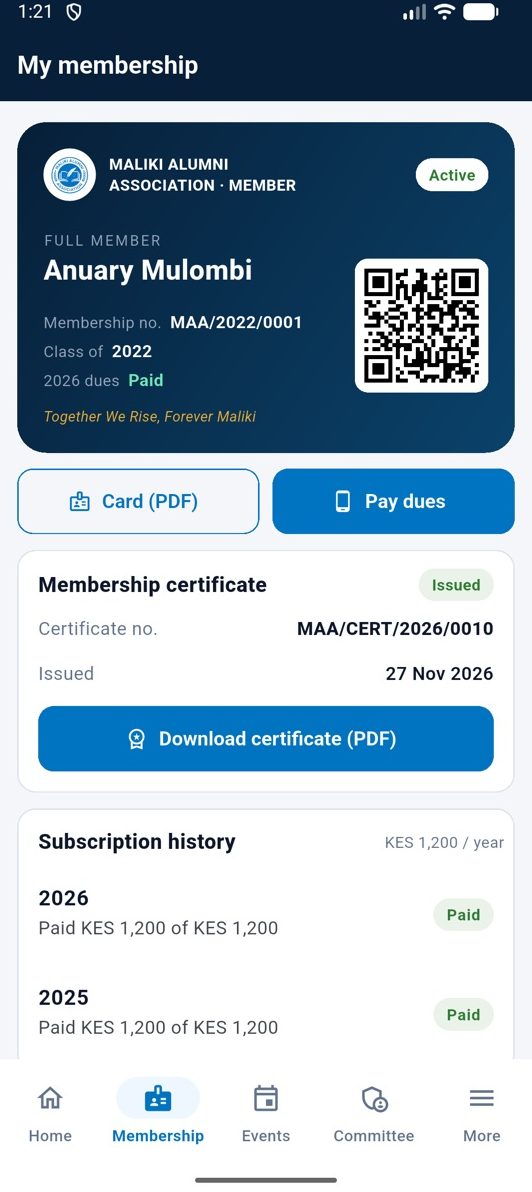
Your digital membership card with a verification QR code, and your certificate of membership as a PDF.
Pay dues by M-Pesa
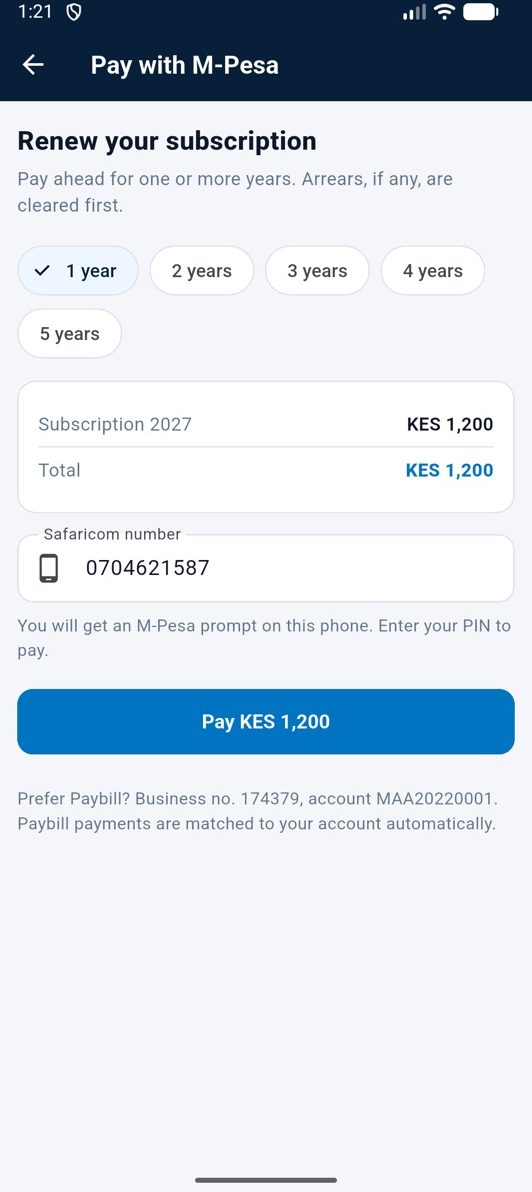
Pay the entrance fee or renew for up to five years. Enter your PIN on the prompt and the receipt appears straight away.
Events & tickets
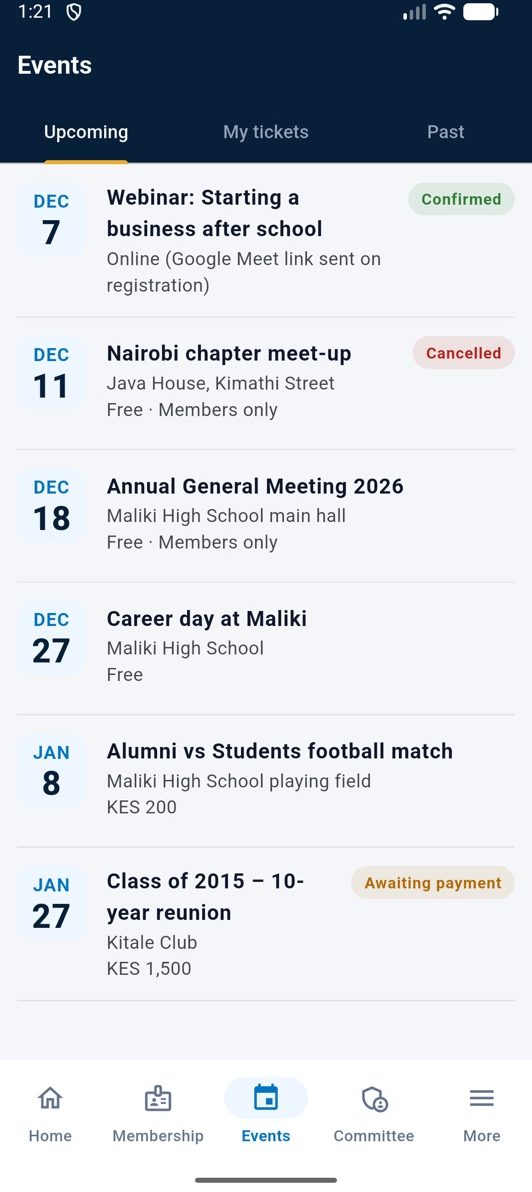
Register for reunions, the AGM and mentorship days, pay where there is a fee, and show the ticket QR at the door.
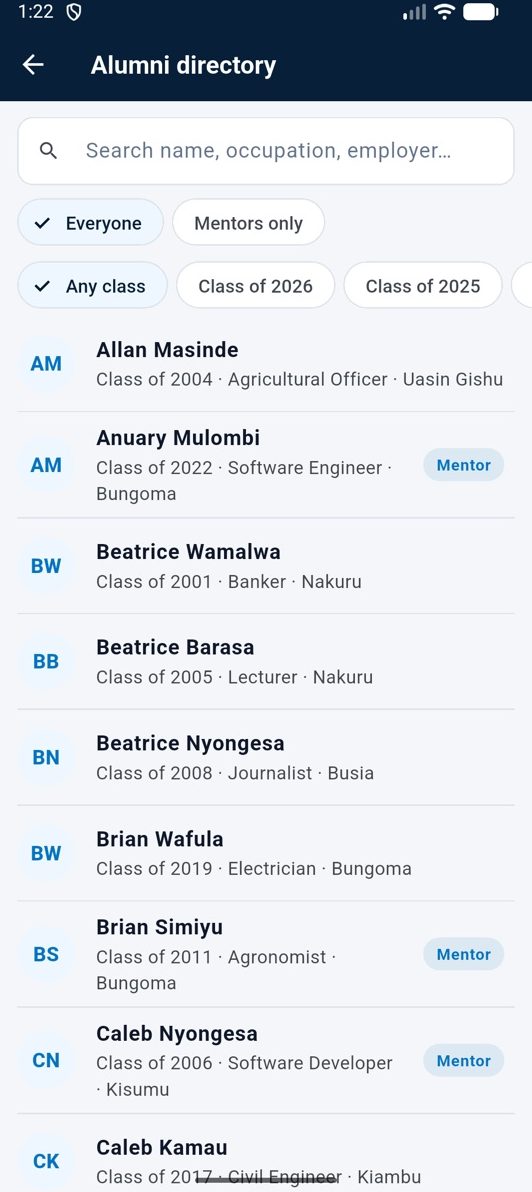
Alumni directory
Find classmates by name, class year or county, and connect with mentors – contacts only where members choose to share them.
Opportunities
Jobs, internships, scholarships and business opportunities shared by fellow Malikians – and post your own.
Notices & documents
Announcements, AGM minutes, reports and forms, plus notifications when something needs your attention.
A look inside
Simple, fast and familiar
For office bearers
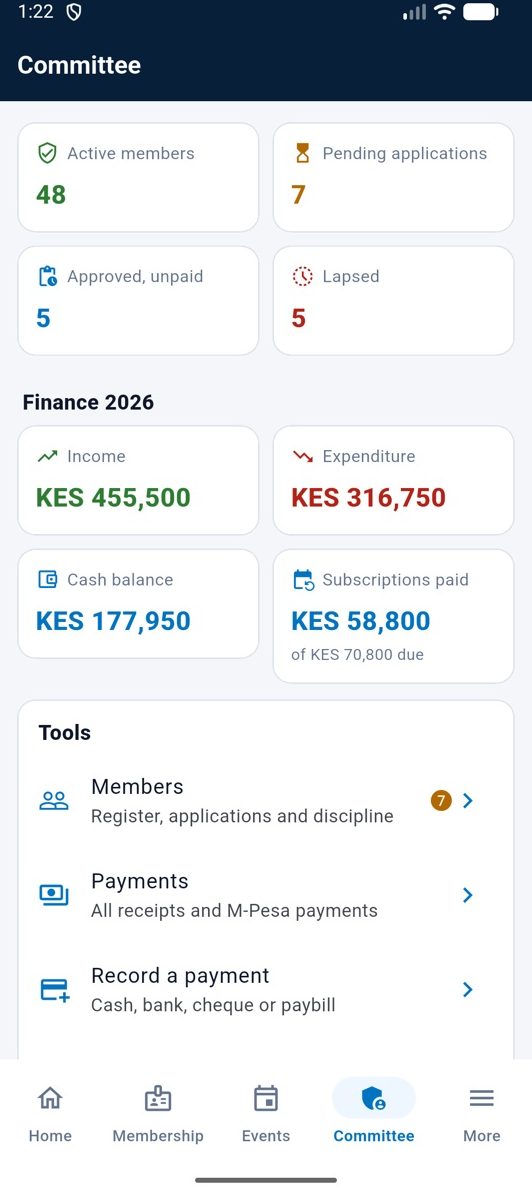
Run the association on the go
Committee members get a Committee tab with the tools their role allows – the same permissions as the admin panel.
- Approve applications and manage the register
- Record cash and bank payments, match Paybill payments
- Raise expenses with a receipt photo and approve them
- Check members in at events by scanning their tickets
- See collections, subscriptions and the cash balance
- Post announcements to members
Getting started
How to install
-
1
On your Android phone, tap “Download for Android” above.
-
2
Open the downloaded file. If asked, allow your browser to “install unknown apps” – this is normal for apps not yet on Google Play.
-
3
Open the app and sign in with your email or membership number and your website password.
-
4
Enter the 6-digit code we email you. That’s it – you stay signed in on that phone.
Not a member yet? Apply online or from the app. Using an iPhone? Use the member portal in your browser – it has the same features.
Latest release
- Version
- 1.0.4 (build 5)
- Released
- 27 November 2026
- Size
- 70.1 MB
- Requires
- Android 7.0+
What’s new
Initial testing release of the Maliki High School Alumni Association mobile app, featuring member registration, digital membership cards, payments, events, alumni directory, announcements and more.
Verify the file (SHA-256)
8b57ee1ee3ea0d1a30fc3ff39fe658f55ece1163ed792093907f74ad51bd42ff
Questions
Good to know
Yes. The app and the member portal share one account: sign in with the same email or membership number and password. Payments, tickets and changes show up in both.
The app is published by the association and is downloaded from this website over a secure connection. Each release lists its SHA-256 fingerprint so you can check the file. Signing in always needs your password and a code we email you, and your data is handled under our privacy policy.
Open My membership → Pay dues, confirm your Safaricom number and tap Pay. You get the M-Pesa prompt on your phone – enter your PIN and your receipt appears in the app and in your email.
Yes – once testing is finished the app will be published on Google Play and this page will link to it. Updates will then arrive automatically.
Everything in the app is also available in the member portal on this website, on any phone or computer.
Privacy policy · Developed by Mulan Technologies